
Updated: October 2026
A snowman SVG is one of the easiest Christmas designs to cut and one of the most loved. Kids like the funny faces, parents like that one file works on a shirt, a mug and a gift bag. In this post you get six simple snowman projects you can make with a Cricut or Silhouette this season, plus the colors and materials that work best.
Get the design
Snowman Face SVG Bundle (4 designs)
Four snowman faces in one download: SVG, PNG, PDF, JPG, EPS and DXF. Ready for Cricut and Silhouette.
Why a snowman SVG sells so well at Christmas
A snowman SVG is not tied to one holiday. You can wear a snowman shirt from late November to the end of January, so the project stays useful longer than a Christmas-only design. The simple round shapes are also easy to weed, which makes them good for beginners and for kids who want to help.
6 snowman SVG projects to make this season
1. Matching kids Christmas shirts
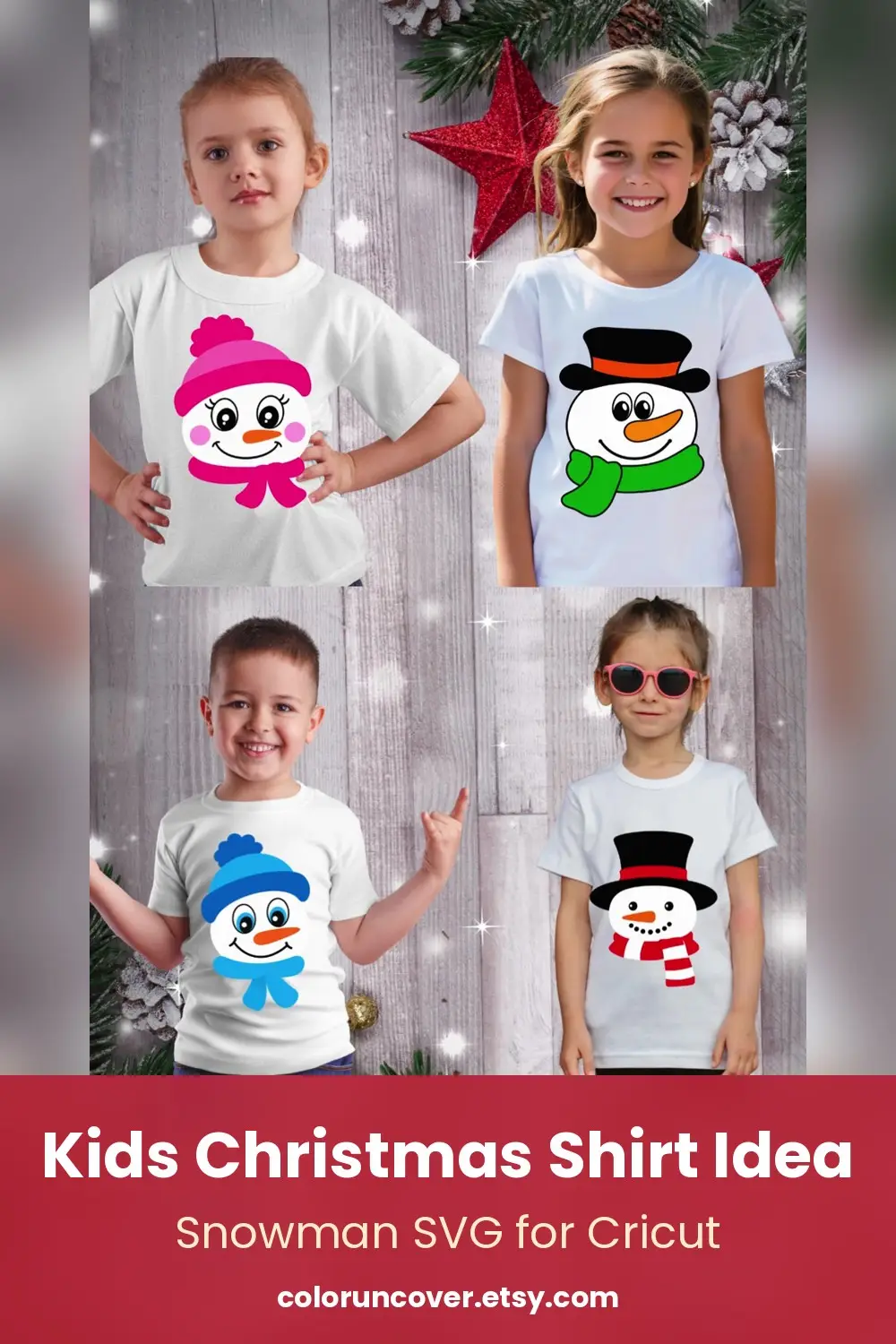
Give each child a different snowman face: one with a top hat, one with a pink beanie, one with a blue bobble hat. Cut the design in heat transfer vinyl (HTV) and press it on a plain cotton shirt. Matching but different shirts look great in family photos.
2. Christmas gift bags and treat bags
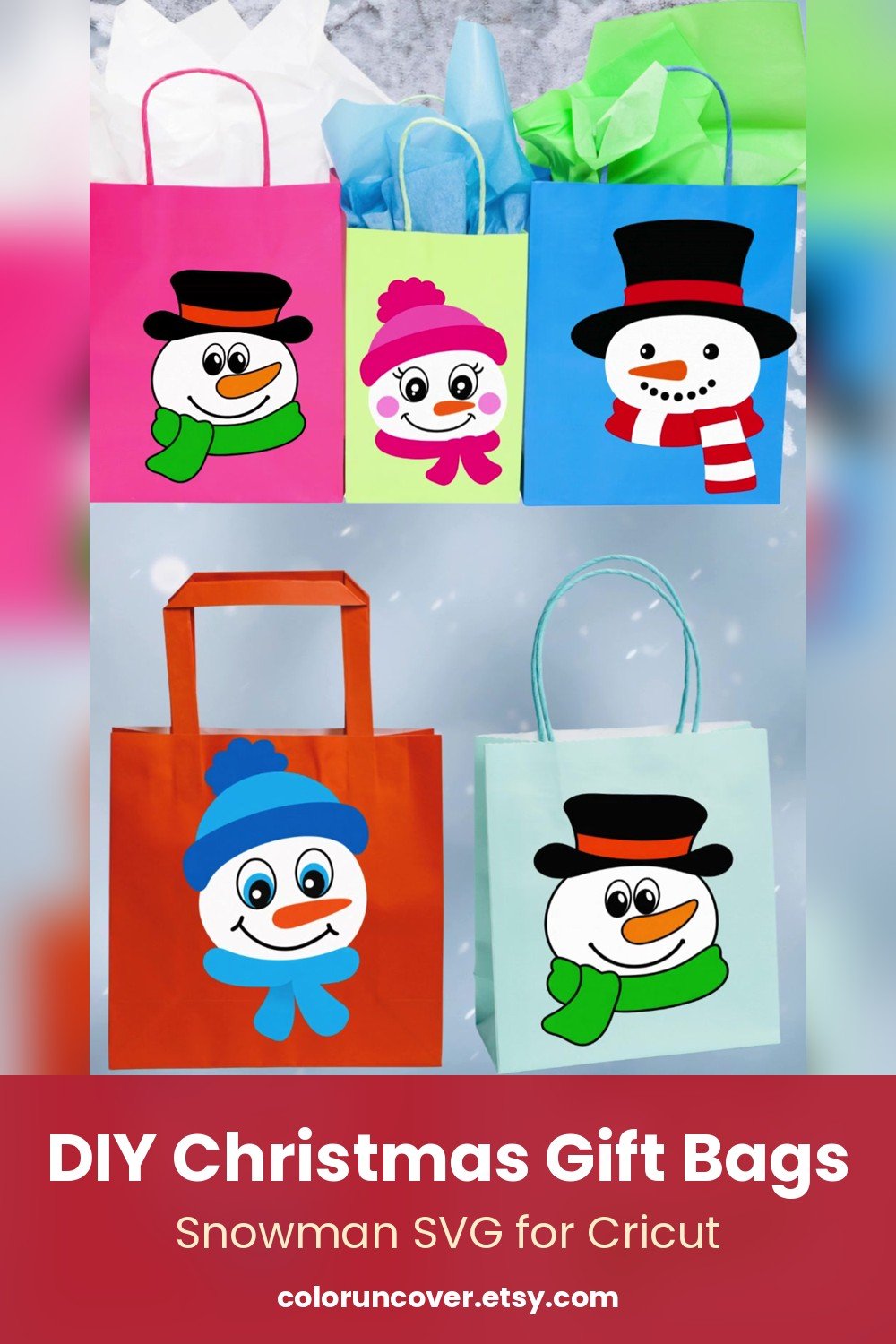
Use adhesive vinyl or iron-on on kraft paper bags and small cotton bags. A snowman face on a brown bag looks handmade and costs very little. These are perfect for teacher gifts, cookie swaps and stocking fillers.
3. Mugs and hot cocoa cups
Cut a small snowman in permanent vinyl and add it to a mug with a name under it. Pair it with a bag of hot cocoa mix and you have a quick gift for friends and coworkers.
4. Tote bags for Christmas shopping
A large snowman face on a canvas tote is a fun gift and a bag you will use all winter. Use one or two layers of HTV so the bag stays soft.
5. Gift tags and cards
Print the PNG or cut the SVG from cardstock to make small tags. Use the print then cut feature on Cricut for a fast, full color tag.
6. Ornaments and wood signs
Snowman faces fit nicely on round wood slices and clear acrylic ornaments. Add the year or a child’s name for a keepsake.
What you need
- A cutting machine (Cricut Joy, Explore, Maker or Silhouette Cameo)
- HTV for shirts and totes, permanent vinyl for mugs, cardstock for tags
- A heat press or iron, weeding tool and transfer tape
- The snowman SVG file (the PNG is good for print then cut and sublimation)
Design size chart
The most common mistake is making the design too big or too small. Use these widths as a guide and measure your blank first:
| Item | Design width |
|---|---|
| Baby bodysuit (0–24 months) | 4–5.5 in (10–14 cm) |
| Toddler shirt (2T–5T) | 6–7 in (15–18 cm) |
| Youth shirt (XS–M) | 7–9 in (18–23 cm) |
| Youth L–XL | 9–10 in (23–25 cm) |
| Adult S–M | 9–10 in (23–25 cm) |
| Adult L–XL | 10–11 in (25–28 cm) |
| Adult 2XL and up | 11–12 in (28–30 cm) |
| 11 oz mug | 3–3.5 in tall |
| Gift bag (small) | 3–4 in |
| Tote bag | 8–10 in |
Place the top of the design about 3 inches (7–8 cm) below the collar, or about four finger widths.
Heat press settings to start with
Always check the guide for your vinyl brand first, because settings change between brands. These are common starting points for cotton and cotton/poly shirts:
| Vinyl | Temperature | Time | Peel |
|---|---|---|---|
| Siser EasyWeed HTV | 305°F (150°C) | 10–15 seconds | Hot or cold |
| Cricut Everyday Iron-On (EasyPress) | 315°F (157°C) | 30 seconds | Warm |
| Layering (base layers) | Same as above | 2–3 seconds each | Peel, then add next layer |
Tip: press the shirt for 5 seconds before you place the vinyl. This removes moisture and wrinkles, so the vinyl sticks better.
Best colors for snowman projects
Snowmen look best with cool winter blues and soft whites. Try the Winter Wonderland color palette or the calm Nordic Christmas palette. Each palette gives you HEX codes for Cricut Design Space and the closest Ohuhu markers if you also like to color.
Quick steps to make a snowman shirt
- Upload the SVG to Cricut Design Space and size it (about 9 to 10 inches wide for an adult shirt, 7 to 8 inches for a child).
- Mirror the design for HTV and cut with the shiny side down.
- Weed the extra vinyl and line the layers up on the shirt.
- Press with your heat press or iron, then peel as your vinyl brand says.
- Wait 24 hours before washing, and wash inside out.
Frequently asked questions
What can I make with a snowman SVG?
You can make kids and family Christmas shirts, gift bags, mugs, tote bags, gift tags, ornaments and wood signs. One file works for all of them because you can resize an SVG without losing quality.
Can I use a snowman SVG with Cricut Joy?
Yes. Cricut Joy can cut the design for mugs, tags and small shirts. Its cutting width is 4.5 inches (or 5.5 inches on Joy Xtra), so for adult shirts use a Cricut Explore, Maker or a Silhouette Cameo.
Which file should I use, SVG or PNG?
Use the SVG for cutting vinyl, HTV and cardstock. Use the PNG for print then cut, sublimation and printable gift tags. The DXF is for Silhouette Studio Basic Edition, which cannot open SVG files.
When should I start making Christmas shirts?
Start in early November. This gives you time to order blanks and vinyl, test one shirt, and make gifts before the busy weeks in December.
Can I sell shirts made with this snowman SVG?
Yes. I create all of my designs myself, so you can make and sell finished items with them, like shirts, mugs, tumblers and gifts, for any business. You cannot sell, share or give away the SVG or any digital file, even if you change it. The files are for making physical products only.
Want more free designs?
Browse our free SVG cut files and the free Christmas coloring pages for more holiday projects. When you are ready for the full snowman bundle, you can get it in our Etsy shop.
Get the design
Snowman Face SVG Bundle (4 designs)
Instant download. Use it for shirts, mugs, gift bags and more.


Pingback: Free Christmas SVG Files for Cricut 2026 | Color Uncover