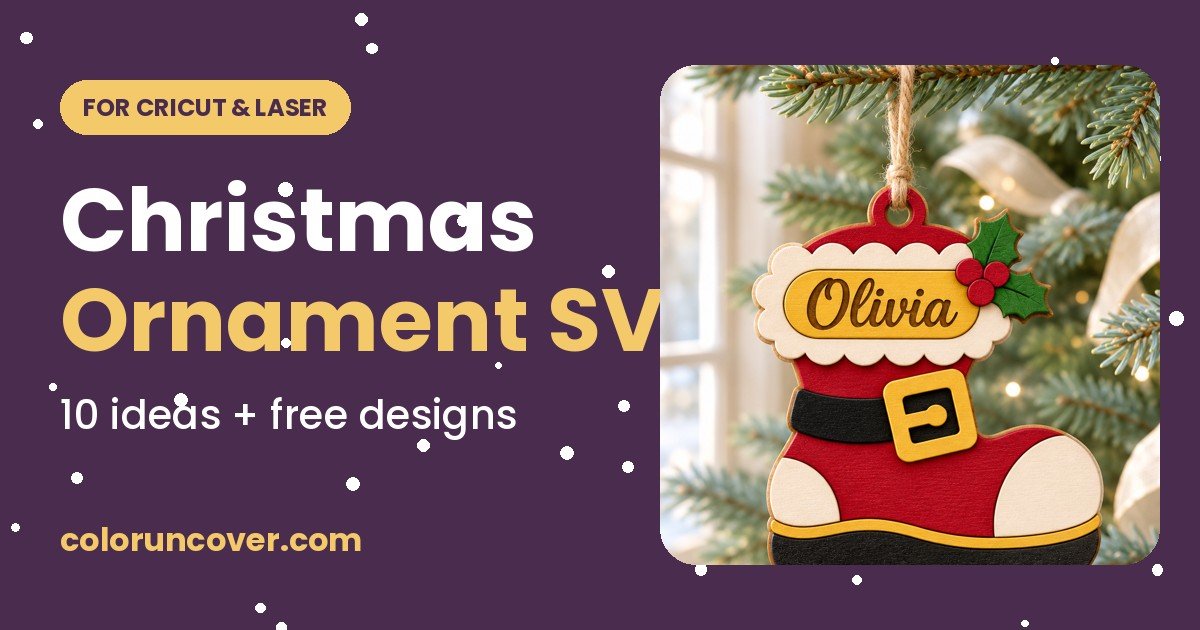
A Christmas ornament SVG is one of the best things to make with a Cricut or laser in December. Ornaments are small, quick to cut, cheap in materials, and people love them as gifts, especially with a name on them. Below you’ll find 10 Christmas ornament SVG ideas, the best materials for each one, simple steps for a layered ornament, and free designs you can start with today.
What is a Christmas ornament SVG?
It’s a cut file shaped like an ornament, usually with a hanging loop at the top. You load the SVG into Cricut Design Space, Silhouette Studio or your laser software, cut it from cardstock, wood, acrylic or vinyl, and hang it with ribbon or twine. Layered ornament SVGs have several pieces that stack on top of each other, which gives a 3D look.
10 Christmas ornament SVG ideas
1. Personalized name ornaments
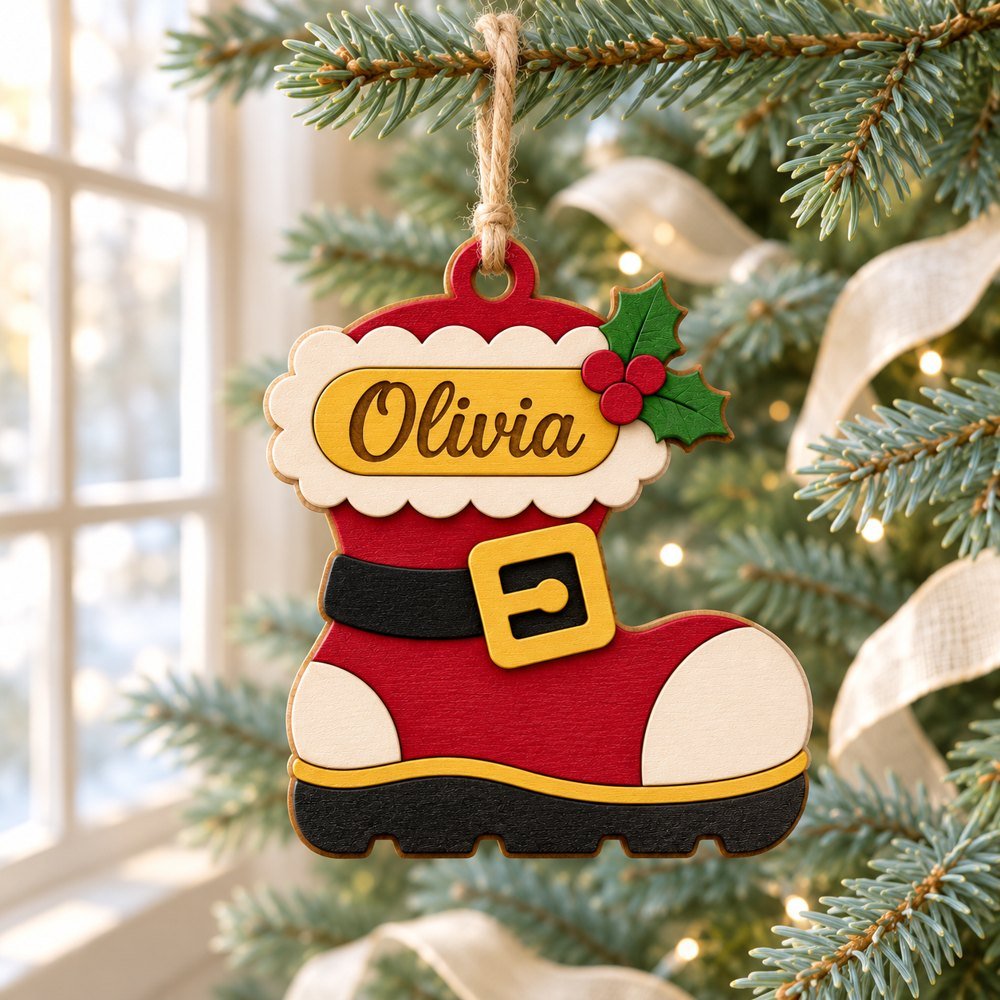
Name ornaments sell the best at craft fairs and make easy family gifts. Pick a design with a blank tag or banner, add the name in a script font, and weld it to the tag before cutting. Our Santa boot ornament SVG has a name tag built into the fur cuff for exactly this.
2. Round ball ornaments
Round ornament SVGs are the classic shape. Cut a flat round ornament from wood or cardstock, or put a small vinyl design on a clear plastic ball. Keep vinyl designs under about 2.5 inches so they lie flat on the curve.
3. Snowflake ornaments
A one-color snowflake is the easiest ornament to start with. Our free Christmas snowflake SVG cuts well from glitter cardstock or white felt. Cut two and glue them back to back so both sides look finished.
4. Santa boot ornaments
Santa boots are fun, colorful and kid-friendly. Start with our free Santa boot SVG, add a hanging loop in Design Space, and layer black, white, red and gold cardstock. For more ideas, see our post on Santa boot SVG crafts.
5. Gingerbread and cookie ornaments
Gingerbread ornaments look sweet on a kitchen tree. Cut our free gingerbread man SVG from brown kraft cardstock and add the white icing layer on top. Add a name with a white paint pen.
6. Teacher ornaments
An ornament with the teacher’s name and the year is a small, personal gift that kids can help make. You’ll find more ideas in our teacher SVG Christmas gift ideas.
7. Pet ornaments
Dog and cat ornaments with the pet’s name are popular gifts for pet owners. A bone or paw shape with a name in the middle is easy to cut and personalize.
8. “Our First Christmas” ornaments
For newlyweds, new homes and new babies, add “Our First Christmas” and the year around a heart or house shape. These are keepsakes, so wood or acrylic last longer than cardstock.
9. Word ornaments
A short word like “Joy”, “Noel” or “Merry” makes a clean, modern ornament. Our free Joy SVG with holly works well cut from wood or thick glitter cardstock. Make sure all the letters touch so it cuts as one piece.
10. Tree ornaments
A small tree on your tree is a cute idea. Our free Christmas tree with ornaments SVG has green, red and gold layers that stack into a mini ornament.
Best materials for Christmas ornaments
- Cardstock: the cheapest and easiest. Use 65 to 80 lb cardstock and glue the layers with a glue pen.
- Glitter cardstock: looks festive and hides small cutting marks.
- Wood: great for keepsakes. A Cricut Maker with the Knife Blade can cut thin basswood, and a laser cutter cuts it fast.
- Acrylic: for clear, modern ornaments. You’ll need a laser cutter, then add a vinyl name on top.
- Felt: soft and safe for kids’ trees and pet ornaments.
How to make a layered ornament on a Cricut
- Upload the ornament SVG to Cricut Design Space. Each color shows as its own layer.
- Resize the whole design to 3 to 4 inches wide. That’s a good size for most trees.
- To personalize it, type the name, choose a script font, place it on the tag, and weld the name to the tag layer.
- Click Make and cut each color from cardstock or wood.
- Glue the layers from the bottom up, let them dry under a heavy book, and add ribbon or twine through the loop.
New to ZIP files? Our guide on how to download and unzip SVG files helps you get started.
Christmas ornament SVG FAQ
What size should a Christmas ornament SVG be?
Most ornaments are 3 to 4 inches wide. Go smaller, about 2.5 inches, for a mini tree, and keep names large enough to cut cleanly.
Can a Cricut cut wood ornaments?
Yes. A Cricut Maker with the Knife Blade can cut thin basswood. It’s slower than cardstock, so choose simple shapes without tiny details.
How do I personalize an ornament SVG with a name?
Add a text box in Design Space, pick a script font, place the name on the tag or banner, and weld it so it cuts as one piece.
What file type do I need for a laser cutter?
Most laser software opens SVG, and many also use DXF. Our Santa boot ornament comes with SVG, PNG, PDF, JPG, EPS and DXF files.